随着人工智能技术的快速发展,智能聊天机器人已成为微信公众号的重要功能之一。图灵机器人作为国内领先的智能对话平台,为开发者提供了强大的自然语言处理能力。本文将详细介绍如何在SAE(Sina App Engine)服务环境下使用Java语言实现微信公众号与图灵机器人的集成。
一、准备工作
- 注册微信公众号:需要拥有一个已认证的微信公众号,并获取到AppID和AppSecret
- 申请图灵机器人API:在图灵机器人官网注册并获取API Key
- 创建SAE应用:在SAE平台上创建一个Java Web应用
二、核心实现步骤
1. 配置微信公众平台
在微信公众号后台配置服务器地址,将SAE应用的访问地址作为服务器URL,并设置Token用于验证。
2. 实现微信消息处理
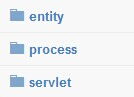
在SAE应用中创建Servlet,处理微信服务器发送的GET和POST请求:
@WebServlet("/wechat")
public class WeChatServlet extends HttpServlet {
private static final String TOKEN = "yourwechattoken";
protected void doGet(HttpServletRequest request, HttpServletResponse response) {
// 微信服务器验证
String signature = request.getParameter("signature");
String timestamp = request.getParameter("timestamp");
String nonce = request.getParameter("nonce");
String echostr = request.getParameter("echostr");
if (checkSignature(signature, timestamp, nonce)) {
response.getWriter().write(echostr);
}
}
protected void doPost(HttpServletRequest request, HttpServletResponse response) {
// 处理用户消息
processMessage(request, response);
}
}
3. 集成图灵机器人API
创建图灵机器人服务类,处理用户输入并返回智能回复:
public class TuringRobotService {
private static final String API_URL = "http://openapi.tuling123.com/openapi/api/v2";
private static final String APIKEY = "yourturingapikey";
public String getReply(String userMessage, String userId) {
try {
JSONObject requestBody = new JSONObject();
requestBody.put("reqType", 0);
JSONObject perception = new JSONObject();
JSONObject inputText = new JSONObject();
inputText.put("text", userMessage);
perception.put("inputText", inputText);
JSONObject userInfo = new JSONObject();
userInfo.put("apiKey", API_KEY);
userInfo.put("userId", userId);
requestBody.put("perception", perception);
requestBody.put("userInfo", userInfo);
// 发送HTTP请求到图灵API
String response = sendPostRequest(API_URL, requestBody.toString());
return parseTuringResponse(response);
} catch (Exception e) {
return "抱歉,我现在有点忙,请稍后再试~";
}
}
}
4. 消息解析与响应
处理微信XML格式的消息,并生成回复:
private void processMessage(HttpServletRequest request, HttpServletResponse response) {
try {
// 解析微信XML消息
Map<String, String> messageMap = parseWeChatMessage(request);
String msgType = messageMap.get("MsgType");
String fromUser = messageMap.get("FromUserName");
String toUser = messageMap.get("ToUserName");
if ("text".equals(msgType)) {
String content = messageMap.get("Content");
String reply = turingRobotService.getReply(content, fromUser);
// 构建回复XML
String replyXml = buildTextReplyXml(toUser, fromUser, reply);
response.getWriter().write(replyXml);
}
} catch (Exception e) {
e.printStackTrace();
}
}
三、部署与测试
- 将应用打包为WAR文件并部署到SAE
- 在微信公众平台完成服务器配置验证
- 向公众号发送消息测试机器人响应
四、注意事项
- SAE环境下的网络请求需要通过SAE的HTTP客户端
- 注意处理微信消息加密/解密(如果启用了安全模式)
- 合理设置图灵机器人的上下文记忆功能
- 监控API调用频率,避免超出限制
通过以上步骤,即可在SAE平台上成功实现一个基于Java的微信公众号图灵机器人,为用户提供智能对话服务。这种解决方案具有部署简单、扩展性强、成本低廉等优势,适合中小型公众号使用。